

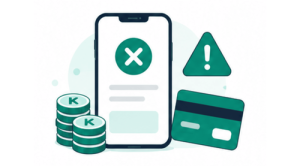
If a Plus or coin payment does not finish on the KarMuqabla web app, use this guide.
After you leave the bank / checkout page
Stay on the payment result screen and wait while the app confirms the payment (Confirming…). Do not close the page too quickly.
If payment succeeded
You should see Payment successful. Tap Go to Plus or Go to dashboard.
Coins or Plus access appear after confirmation.
If payment was cancelled or not completed
You may see:
- Payment cancelled
- Payment not completed
- Still processing
- Payment under review
Try these buttons as shown:
| Button | When to use it |
|---|---|
| Check again | Give the system another moment to confirm |
| Back to plans | Return to Plus and try a new plan (after clearing any unpaid order) |
| Contact support | Ask the team for help |
| Go to dashboard | Leave and try again later |
Unpaid order in progress
If you started a checkout but did not finish, Plus, Coins, or Shop may show:
Unpaid order in progress
- Tap Cancel unpaid order and wait until it finishes (Cancelling…).
- Start a new purchase only after the unpaid order is cleared.
- Subscribe or buy coins again.
You may be blocked from a new purchase until the unpaid order is cancelled.
Other messages
- This order was replaced — go Back to plans and use the latest order.
- No payment reference — tap Go to dashboard, then try Plus or Coins again from the start.
Still need help?
See How to Contact Support. Include what you tried to buy (Plus or coins) and roughly when you paid.